
Scheduled workflows
Last updated on
Choose On a schedule as the trigger to run a workflow for every active account (or just the accounts it's limited to) at a set time, rather than when something happens. The cadence editor has:
- Repeats — Daily, Weekly or Monthly.
- On — the weekday for Weekly; the day of the month (1–31) for Monthly. Months without that day run on their last day.
- Time and Timezone — your organization's default (UTC unless set) or one of the common zones.
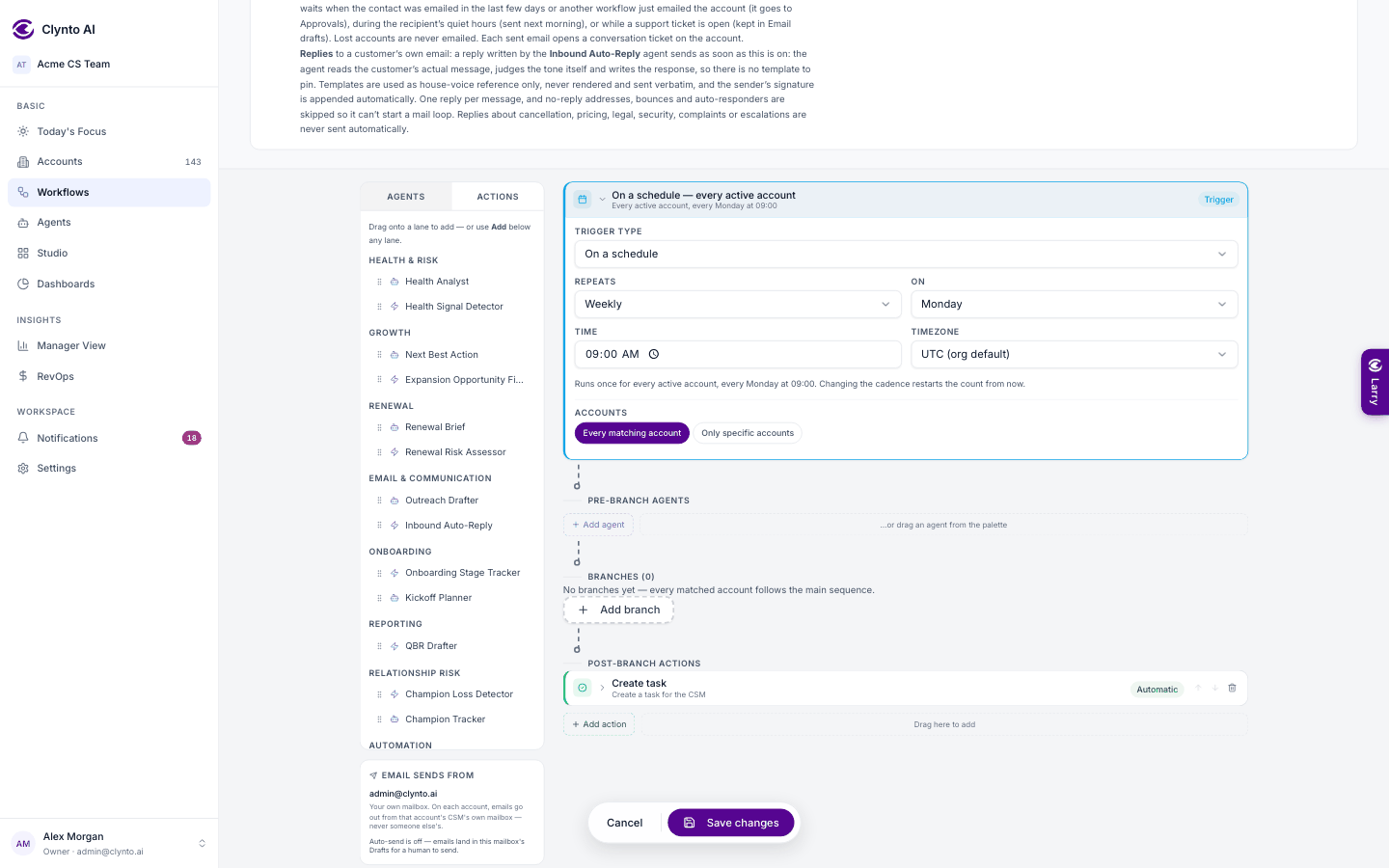
The trigger then reads in plain words, for example "Every active account, every Monday at 09:00 Europe/London", on the canvas and in the Workflows list. The workflow fires once per occurrence, not on every 15-minute check, and changing the cadence restarts the count from now.
Tip
A workflow saved with an older raw cron schedule shows it ("Saved as …") until you pick a cadence, which then replaces it.