
Creating a workflow
Last updated on
Create workflow on the Workflows page opens a blank canvas with a Generate with AI panel on top: "What workflow do you want to create today?"
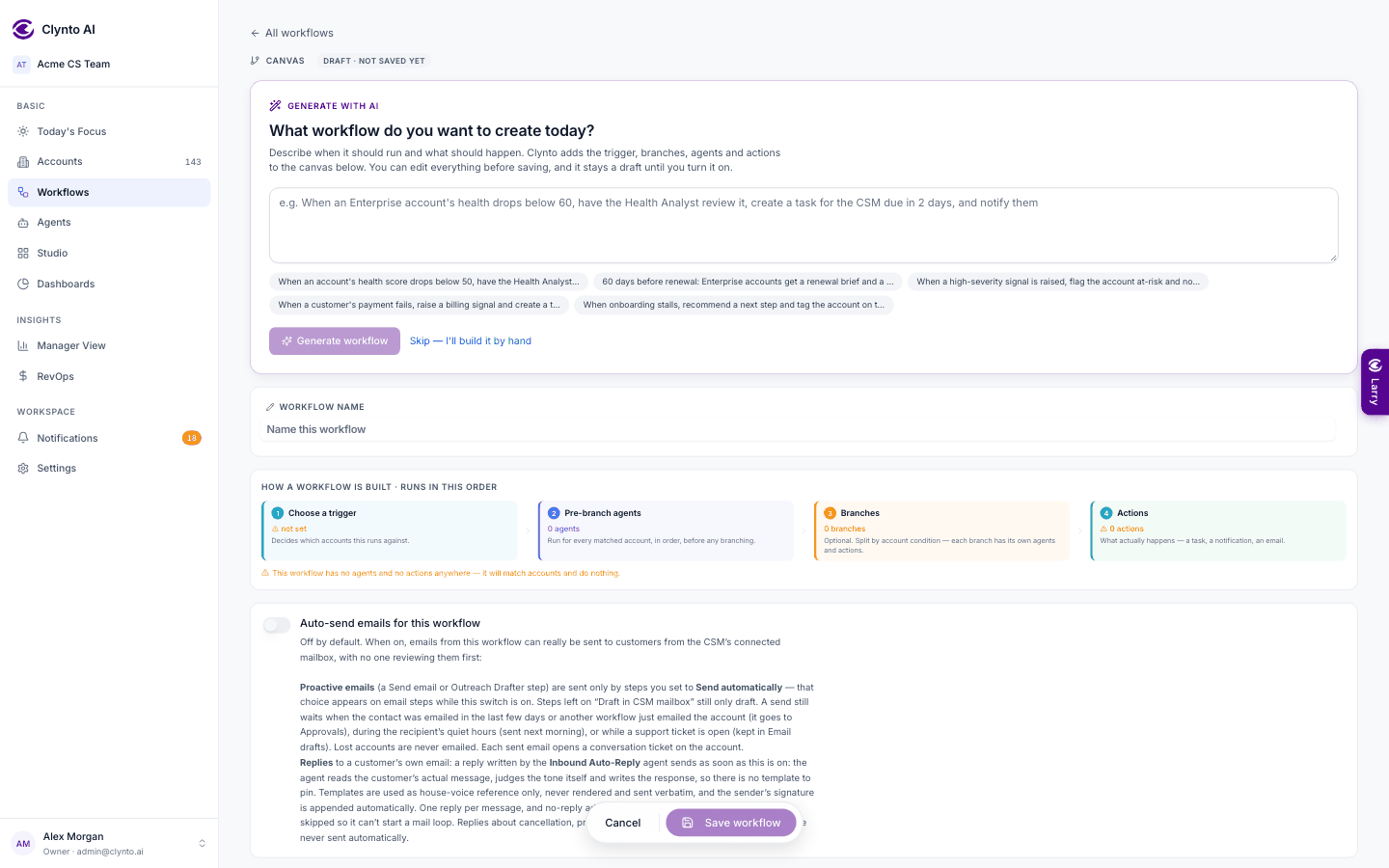
- Describe it in plain English — when it should run and what should happen — or click one of the examples. Click Generate workflow (or press Ctrl/⌘ + Enter).
- Clynto lays the trigger, branches, agents and actions straight onto the canvas. Anything it couldn't work out is marked on the step that needs it ("needs a detail"), and a short report says what it assumed or repaired.
- Review and edit like any workflow, then Save. It stays a draft until you turn it on.
If the description closely matches a workflow you already have, the panel points you there, because duplicates fire twice on the same accounts. Generate again redrafts from an edited description; Skip — I'll build it by hand hides the panel and leaves you the empty canvas (bring it back with Generate from a description in the header). When the AI is unavailable, a simpler keyword-based draft is made instead.
Live workflows are checked automatically every 15 minutes. Every run is audit-logged with a trace, and a failed run shows exactly which step broke.