
Run now and testing mode
Last updated on
Run now on the Workflows page always asks first, because it acts on real accounts straight away:
- Run & go live — runs now, switches the workflow on, and puts it in continuous-testing mode: re-checked every 15 seconds instead of every 15 minutes.
- Run once (stay draft) — one run, and the workflow stays as it was.
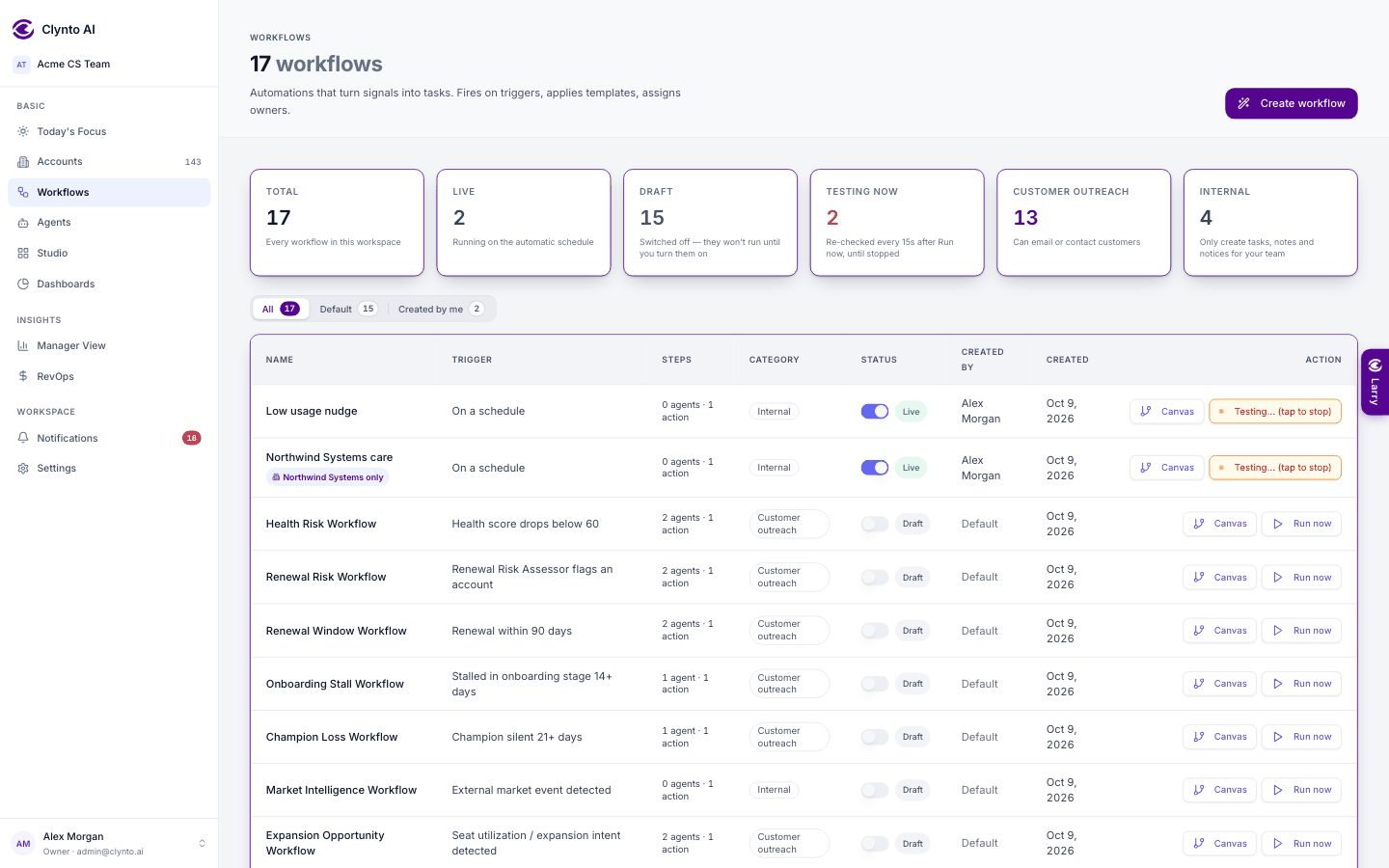
| Button | Meaning |
|---|---|
| Run now (grey) | Draft, or live without testing mode |
| Running (green) | Live on the normal 15-minute schedule |
| Testing… (tap to stop) (amber) | Re-checking every 15 seconds |
Testing mode doesn't stop by itself. Tap the amber button when you're done — the workflow stays live on the normal schedule. To take a workflow fully offline, use the status toggle in its row.
Warning
There's no dry run. Both choices act on real accounts.