
How agents work
Last updated on
Each agent has one of three kinds, shown as an icon on the Agents page (hover it, or expand the agent to read How it works):
- AI agent — an AI model reads the account's data and writes the result.
- Rules + AI — code collects the data and decides when to act; an AI model does one step (for example Market Intelligence Scanner and Inbound Auto-Reply).
- Rules only — fixed rules in code, no AI model.
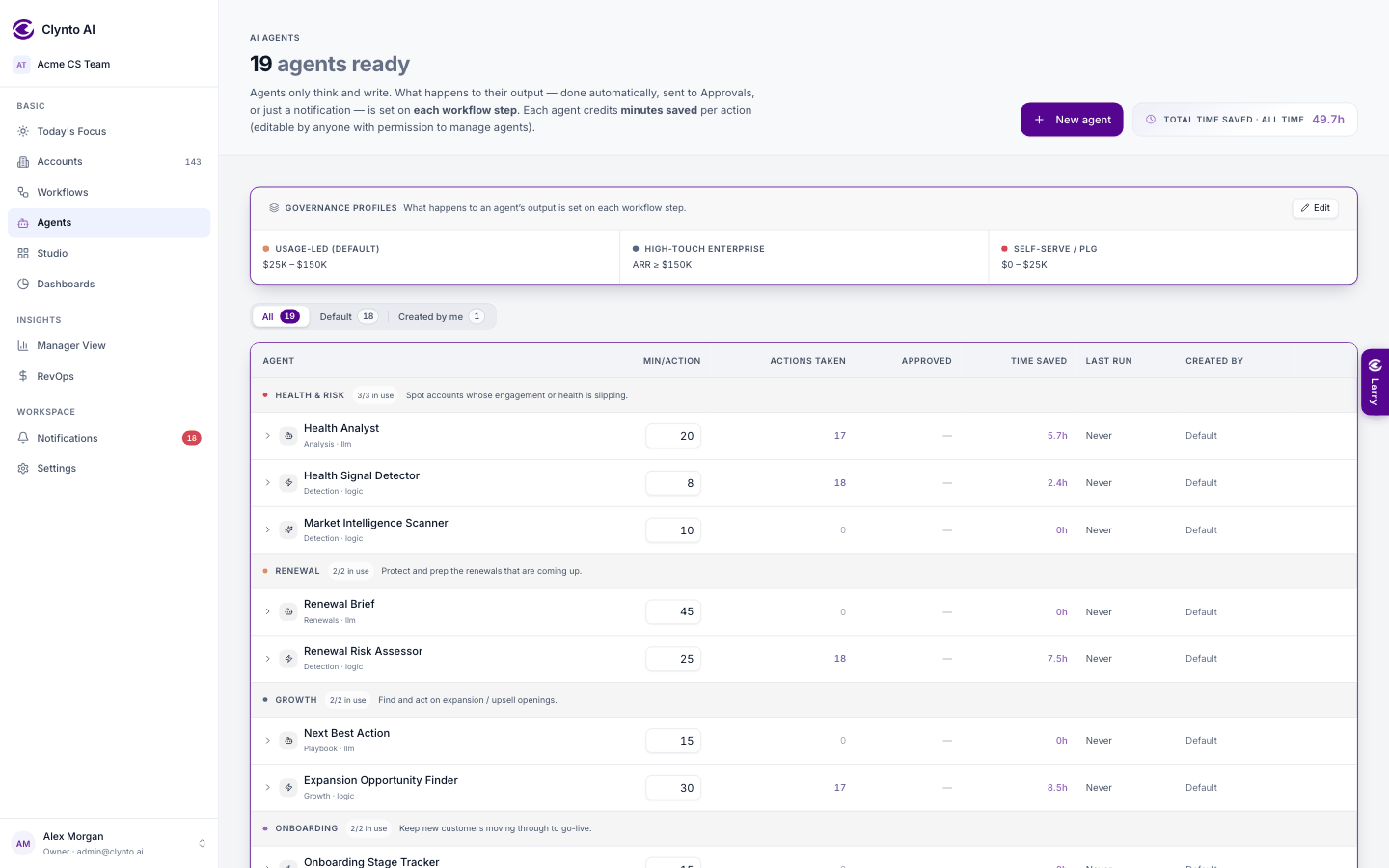
AI agents (Health Analyst, Renewal Brief, Next Best Action, Outreach Drafter, Kickoff Planner) get an evidence pack: the account's signals, usage over 30/60/90 days, tickets, emails, contacts, tasks, their own previous output and what is already in flight. Every finding must cite something from the pack; a bad answer is retried once and, if still bad, nothing is saved. "Not enough data" is an honest answer, and agents never invent numbers. On a rerun they lead with what changed. The result is saved where you'll see it: Health Analyst and Renewal Brief write a note on the account, Next Best Action creates a task, and Outreach Drafter saves an email draft in Clynto that Email Send-Off then handles as the workflow step says — a draft in your connected Gmail/Outlook, an approval, or a notification (it sends only from a step set to Send automatically). They run from Run agent on an account or inside a workflow; in a workflow each runs at most once a day per account unless something changes (a new signal or a big health-score move). Automatic runs share an AI budget: 25 AI calls per workspace per sweep and 100 per hour, most important accounts first (ARR × severity × how soon the renewal is). Runs you start by hand aren't capped.
Your Workspace context (Settings → Account rules) — playbooks, glossary, tone guide, pricing rules — is given to the agents that need it. And every approval, edit and dismissal teaches them: the best recent approved examples are shown to the agent next time.
In a workflow, what happens to an agent's result is set on the workflow step, not on the agent:
| Step setting | What happens | Time-saved credit |
|---|---|---|
| Do automatically | Creates it straight away. | full |
| Needs approval | Waits in Approvals and is created when approved. | full, on approval |
| Just notify | Tells the owner, creates nothing. | half |
Email steps offer Draft in CSM mailbox instead of "Do automatically". When the workflow's Auto-send switch is on, they also offer Send automatically (red Sends for real chip), which really sends the email from the CSM's mailbox — the contact limits, quiet hours and outreach pause still apply. Without that choice, a proactive email is never sent for you; replies to a customer's own email (Inbound Auto-Reply) follow the Auto-send switch. When you run an agent by hand on an account (Run agent), or ask Larry for a draft, the result is created directly (an email only as a draft), because a person asked for it.
Warning
High-risk actions always need approval, whatever the step says.