
Permissions
Last updated on
Settings → Permissions (Owner and Managers) adds fine-grained, per-person switches on top of roles. Keys are grouped by area, each with a plain description and a tick for every role that has it by default (Owner, Manager, CSM, View only); Search permissions finds a key, and Show only overridden lists just the switches someone has changed. Every switch defaults to what the role could already do, so nothing changes until the Owner or a Manager overrides someone. Deactivate or reactivate the organization is Owner-only and can't be granted. Changed cells show overridden · reset. You can't edit your own permissions.
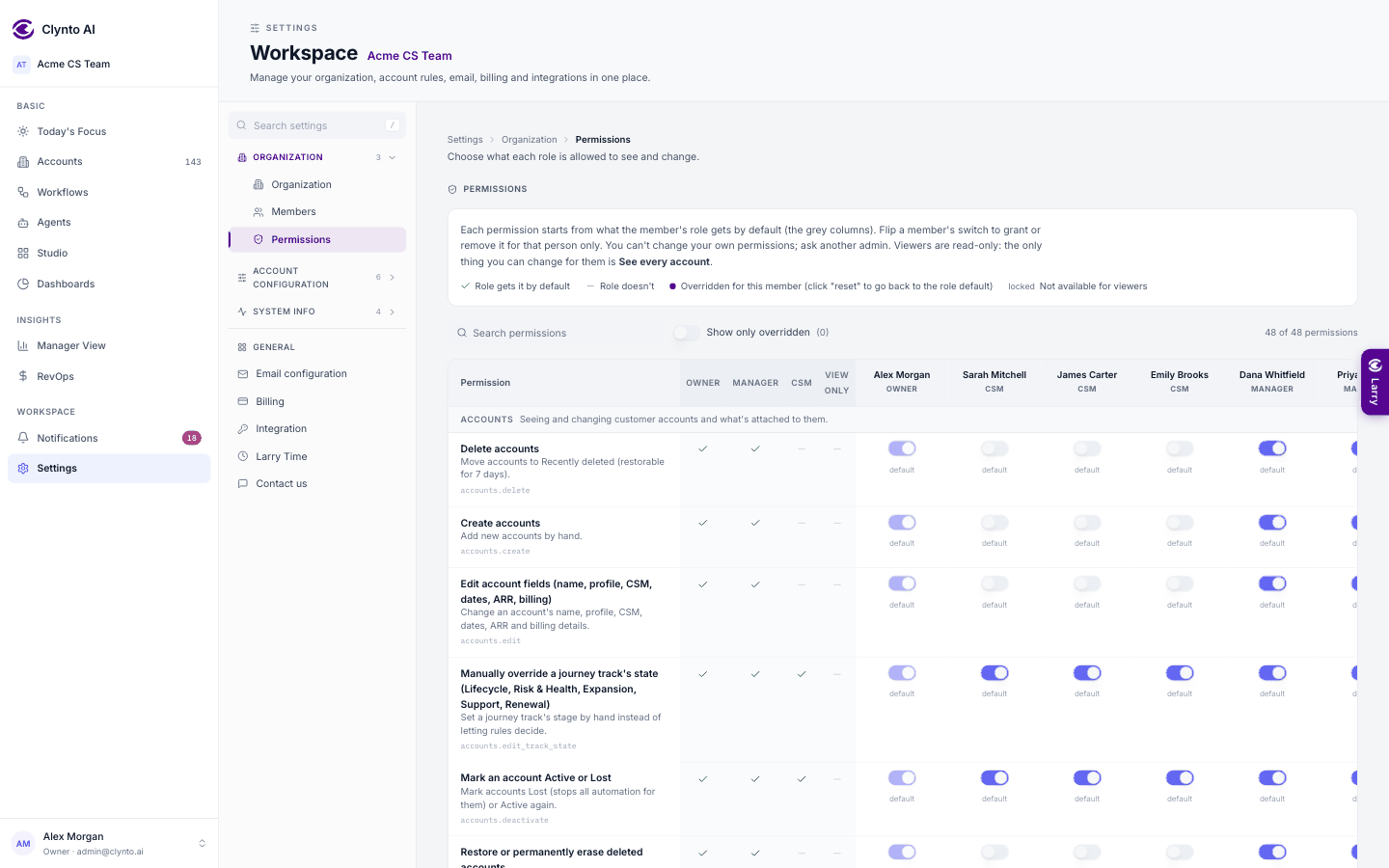
There are 48 keys across these areas: Accounts, Tasks, Signals, Workflows, Agents, Approvals, AI, Email, Campaigns, Reports, Data, RevOps, Health, Journeys, Integrations, Billing, Members and Organization.
Pairs worth knowing
Reading and acting are different risks, so these are separate switches:
| Narrower | Wider | Why split |
|---|---|---|
accounts.delete | accounts.purge | delete can be undone for 7 days; purge can't |
| seeing an account | data.export | looking vs. taking it into a spreadsheet |
audit.view | audit.export | reading the log vs. taking a copy out |
billing.view | billing.manage | seeing the invoice vs. changing what's spent |
reports.create | reports.share | drafting a report vs. sending it to a customer |
health.override | signals.configure | tuning the score vs. deciding which signals may fire |
accounts.view_all widens rather than gates: it decides whether someone sees the whole book or only their own accounts — the one switch a viewer can be given.
Note
Deleting the organization and transferring ownership have no permission key at all: they always need the Owner.