
Subscription, tokens and usage
Last updated on
Every workspace starts with a 7-day free trial and 2,000,000 AI tokens, shared by the whole team. When the 7 days are over a red banner appears — "Your free trial for 7 days are over. Please add the card to continue using the platform" — and AI features pause until a card is added (your data stays readable). add the card opens the card form in a popup.
The paid plan is $199 a month for 10,000,000 tokens each month. The card is charged the moment you add it, and the tokens are added as soon as Stripe confirms the payment. They renew with every monthly payment and don't carry over. If a payment fails you keep access for 3 days while you update the card.
Inside the 7 days you can add a card and choose Pay $199 and subscribe or Save card and start later (nothing is charged until you start). Who may see usage, or add and change the card, is set by the Owner under Settings → Permissions → Billing.
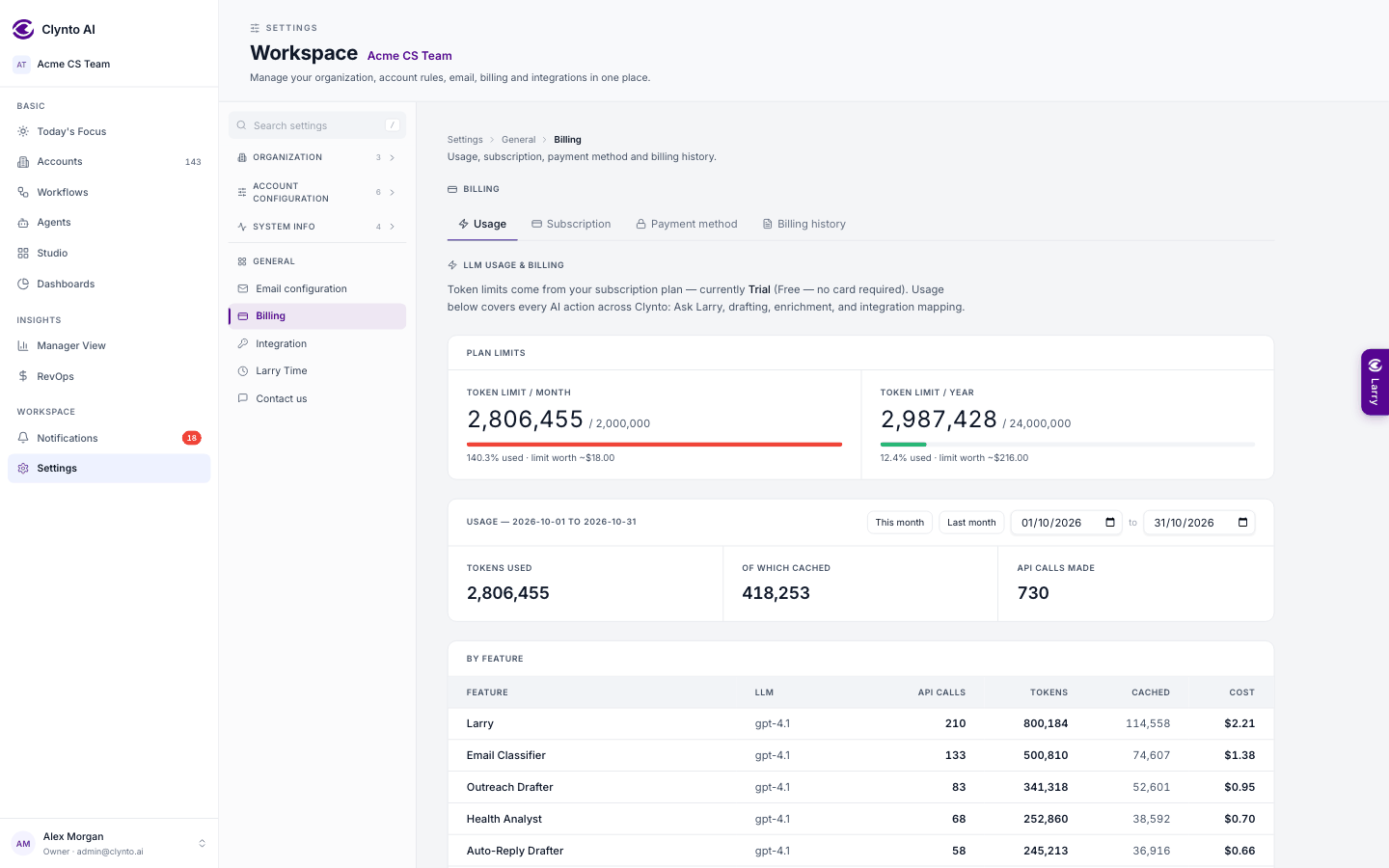
Settings → Billing → Subscription & usage is one page for all of it:
- the Free trial card, with its start and end dates and, when you open it, how much of the 2,000,000 tokens was used;
- the Subscription card: status, renewal date, your card and the tokens used this period;
- a Token allowance card: what you were given this period (the monthly plan's 10,000,000, any top-ups), each with its start and end date, then how many are used and how many remain, and the date everything resets;
- Top up tokens: need more before the billing date? Choose how many; the price is the plan's rate ($199 per 10,000,000 tokens) prorated for the days left in the period, shown before you pay. The extra tokens last until the billing date, when everything resets;
- filters for today, 7 or 30 days, this month, last month, any dates, and a time of day;
- for the free trial and for the subscription separately: Tokens used, how many were cached (repeated instructions the AI provider charges less for), and API calls made, then By feature and By user with input, output and total tokens, cached tokens and cost.
Input tokens are what Clynto sends to the model (your prompt, the conversation so far, instructions and context); output tokens are what the model writes back. The total is what your allowance counts.
Every AI call is a fresh request; nothing your team does trains or fine-tunes the model. What builds up over time is context — your company profile, profiles, agent instructions — which is included on every call.
System health
Clynto's background jobs run in one process at a time — either the web server or a separate background worker — chosen by a lease in the database, so a job never runs…
Plans, cards and extra tokens
Settings → Billing → Payment method shows the card on file (brand, last four digits, expiry) and Replace card; Billing history lists past invoices; Subscription & usage…