
Integrations and what they bring in
Last updated on
Connect tools under Settings → Integrations (needs integrations.manage). The page opens with a banner counting Connected, Available and Need attention, category pills and a search box; each card shows its status and a Connect or Manage link. Keys and tokens are encrypted at rest.
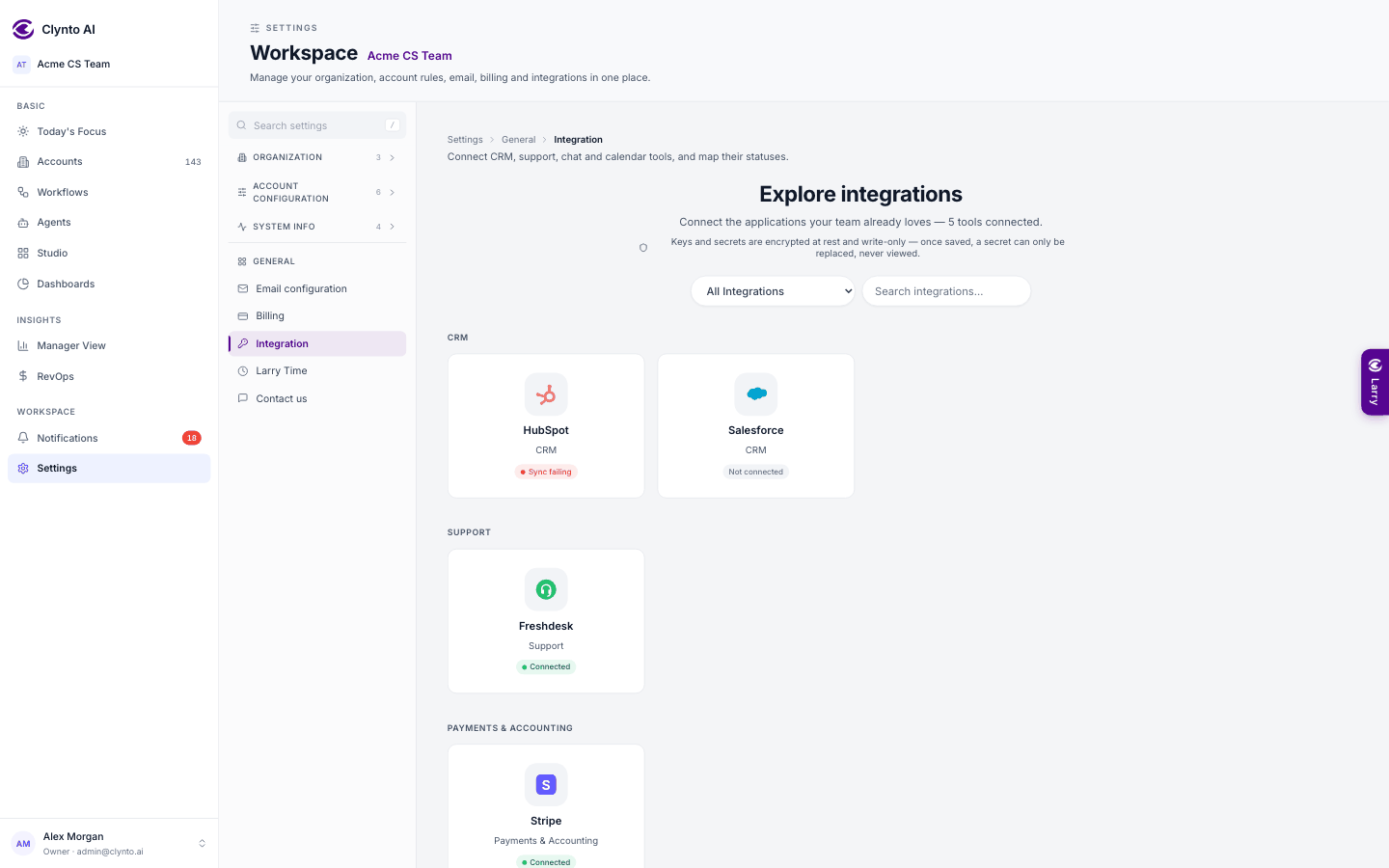
| Tool | What Clynto uses it for |
|---|---|
| HubSpot | Companies, contacts and deals. Read-only. |
| Salesforce | The CRM a workflow's Push to CRM step sends accounts to. |
| Freshdesk | Tickets, SLA breaches and contacts; feeds the Support part of health. |
| Stripe | Invoices and subscriptions (read-only key): the Payments part of health, the Billing tab, failed-payment signals and RevOps. |
| Usage API | Your own product's usage per customer per day (Clynto reads it from your API) — the source for credits pace. Optionally also each customer's allowance and its period. Customer ids that matched no account are listed on its card so you can put them on the right accounts. |
| Mixpanel | Active users and adoption; the usage source when no Usage API is connected. |
| Slack | Alerts from workflows. |
| Gmail / Outlook | Each person's mailbox: last contact, threads, drafts and sends. |
| Calendar | Your meetings for the Scheduler and Today's Focus, from your private calendar (iCal) link. |
| CSV / Excel upload | Account data or contact data not connected yet (see "Importing accounts"). |
Status mapping (on this page) maps each tool's status words to Active or Lost (see "Active and Lost").
HubSpot value mapping
When you map a HubSpot property onto a Clynto field with fixed values — Lifecycle, Renewal & Commercial, Expansion opportunity, Profile or CSM — Clynto lists the values found in your data and suggests a match for each one; you can send several values to one state, or choose Leave unchanged. Choices are remembered and shared with the CSV import. A track set this way is held for 14 days, like a CSV import. Risk & Health and Support aren't offered: they come from the health score and the helpdesk. You can also map the usage allowance, its period and an "unlimited" flag. Old mappings to Journey stage now feed Lifecycle, and Onboarding stage is no longer a target.
Mailboxes
Gmail, Outlook and Calendar are always personal. One you connect here is your own — the same connection your My mailbox shows — and nobody else sends from it or sees its events, not even the Owner or a Manager. Each member connects their own under Settings → My mailbox with an App Password (spaces are fine; Clynto checks it with Google or Microsoft before saving, and tells you in plain words if it is refused). If a send later fails because the login stopped working, the connection turns Error and you re-enter the App Password. Until they connect one, they can't send email from Clynto, and agent emails on their accounts wait in Email drafts (they get a notification asking them to connect).
Who an email comes from: anything you send yourself — Send on a draft, approving a held email, a ticket reply, the task email popup — goes from your own mailbox, name and signature. Emails the AI agents send on their own go from the account CSM's mailbox.
Send means sent. Every Send button sends the email for real (SMTP) and Clynto records it as sent only after your mailbox accepts it. If the mailbox refuses it, nothing is sent and nothing lands in your mailbox's Drafts: the draft stays in Clynto's Email drafts and the account's conversation shows Failed to send. Only Draft in Gmail now (Settings → Drafts) and Save to mailbox drafts put an email in your mailbox's Drafts instead.
Default Cc/Bcc everywhere. Your CC/BCC rules (Settings → Email configuration → CC/BCC rules) are pre-filled in every composer — task emails, Email drafts, Compose, ticket replies, Studio and report emails — with a note naming the rule. Remove an address and it stays off that email. A rule on profile matches the profile's name or id.
Inside the Gmail, Outlook and Calendar cards, The Owner and Managers also see a read-only list of which members have connected a mailbox or calendar — address and status only, never a password or link.
Campaign sending mailbox (Gmail / Outlook card): campaigns are sent from one mailbox you choose here, from the members' connected mailboxes; each option names the member whose mailbox it is ("Name — address (Gmail)") and a failed connection is greyed out. It starts as the mailbox the Owner or a Manager connected on this page. With none chosen, a campaign can't be sent.
Mailboxes and calendars connected here before this change were moved to the person who connected them (or the workspace Owner, if that's unknown). A link to an integration highlights its card; nothing opens by itself.
Market Intelligence
A switch on this page, off by default. When on, Clynto checks public news (Google News) about your active accounts every 6 hours (up to 100 accounts and 40 AI checks a day) and raises a Market event signal for funding, layoffs, a leadership change or an acquisition/merger. The card shows when it last scanned and what it found. A Crunchbase or PredictLeads key can be saved, but paid providers aren't supported yet.
Warning
Google News has its own terms of use. The owner should review them before using this with customers.