
Larry's document memory
Last updated on
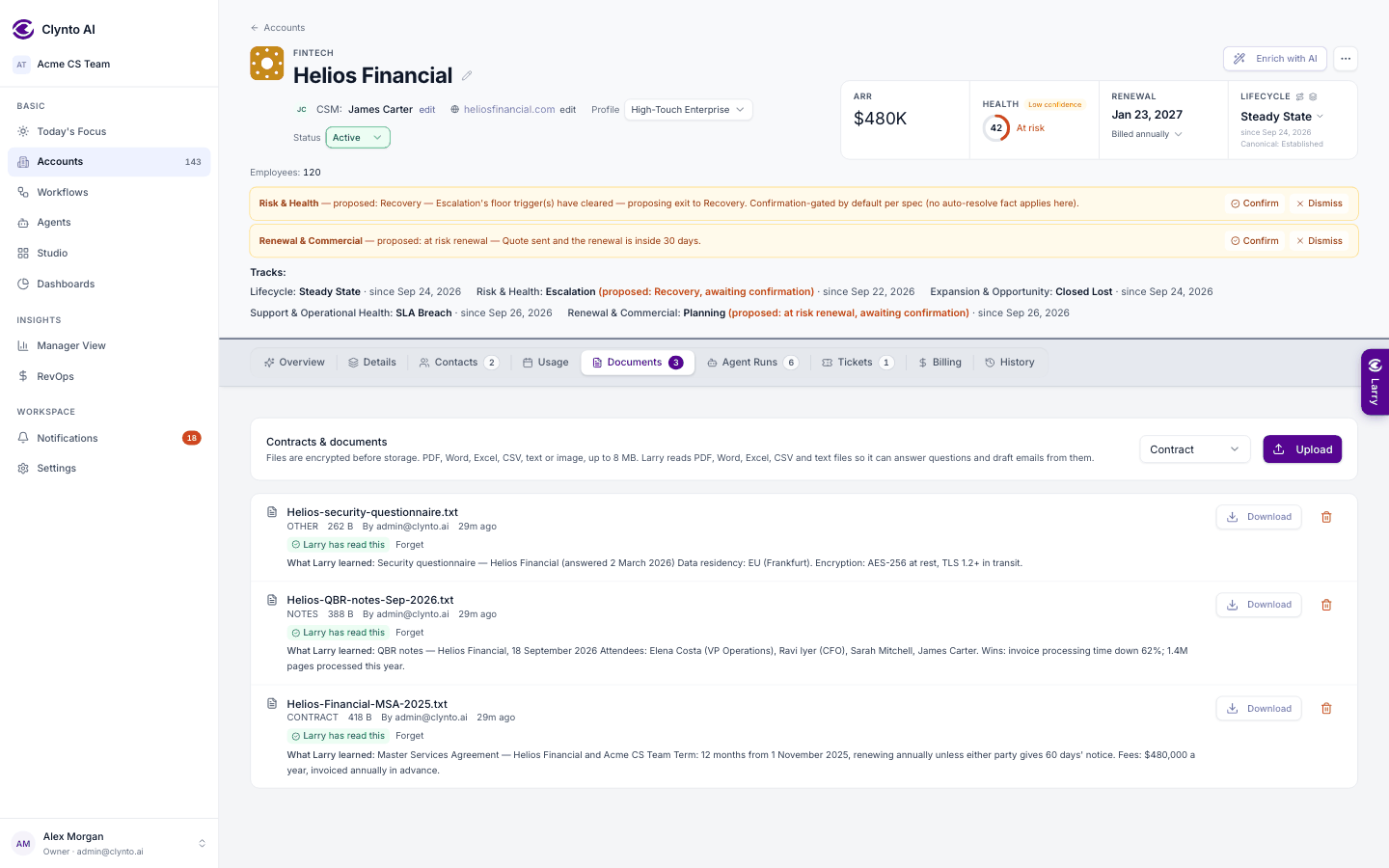
Upload a contract, order form, onboarding plan or meeting notes to an account's Documents tab, and Larry reads it in the background so you can ask about it later: "When does Acme's notice period start?" "What price did we agree for extra seats?"
How it works
- The upload finishes immediately. The document shows Reading….
- A background worker extracts the text (PDF, Word, PowerPoint, text, CSV, Excel or JSON — up to 50 MB a file), splits it into sections, and writes a short summary with key facts — dates, people, commitments, prices, renewal terms.
- The badge changes to Larry has read this. When you ask a question, Larry searches the account's memory and names the file it took the answer from.
| Badge | Meaning |
|---|---|
| Reading… | Waiting or in progress. |
| Larry has read this | Ready to answer questions. |
| Couldn't read | The file couldn't be opened — often damaged or password-protected. Upload it again. |
| Not readable | No text to read — usually a scanned image. Upload a text PDF instead. |
| Memory removed | The document was deleted, and its memory with it. |
Tip
Re-uploading a changed file replaces its memory; an unchanged one is not read twice. Deleting a document deletes what Larry learned from it in the same step. A document Larry can't read also appears as a Larry Time question, so someone uploads a clearer copy.
Using Clynto from Claude
You can also use Clynto from Claude (claude.ai, the Claude desktop and mobile apps, or Claude Code).
Attaching files: insights, charts and PDF changes
Attach files with the paperclip in Larry's message box: PDF, Word, Excel, PowerPoint, CSV or text (up to 50 MB each, several at once), or paste an image — at most 3…