
Email signatures
Last updated on
Every outgoing email — drafts, approvals, workflow emails, Larry and Inbound Auto-Reply — gets a signature, exactly once:
- the sender's personal signature (Settings → Email configuration → Signature), or
- the company signature an admin sets on the same page ("Company signature (used when a person has none)"), or
- "Best regards," and the sender's name.
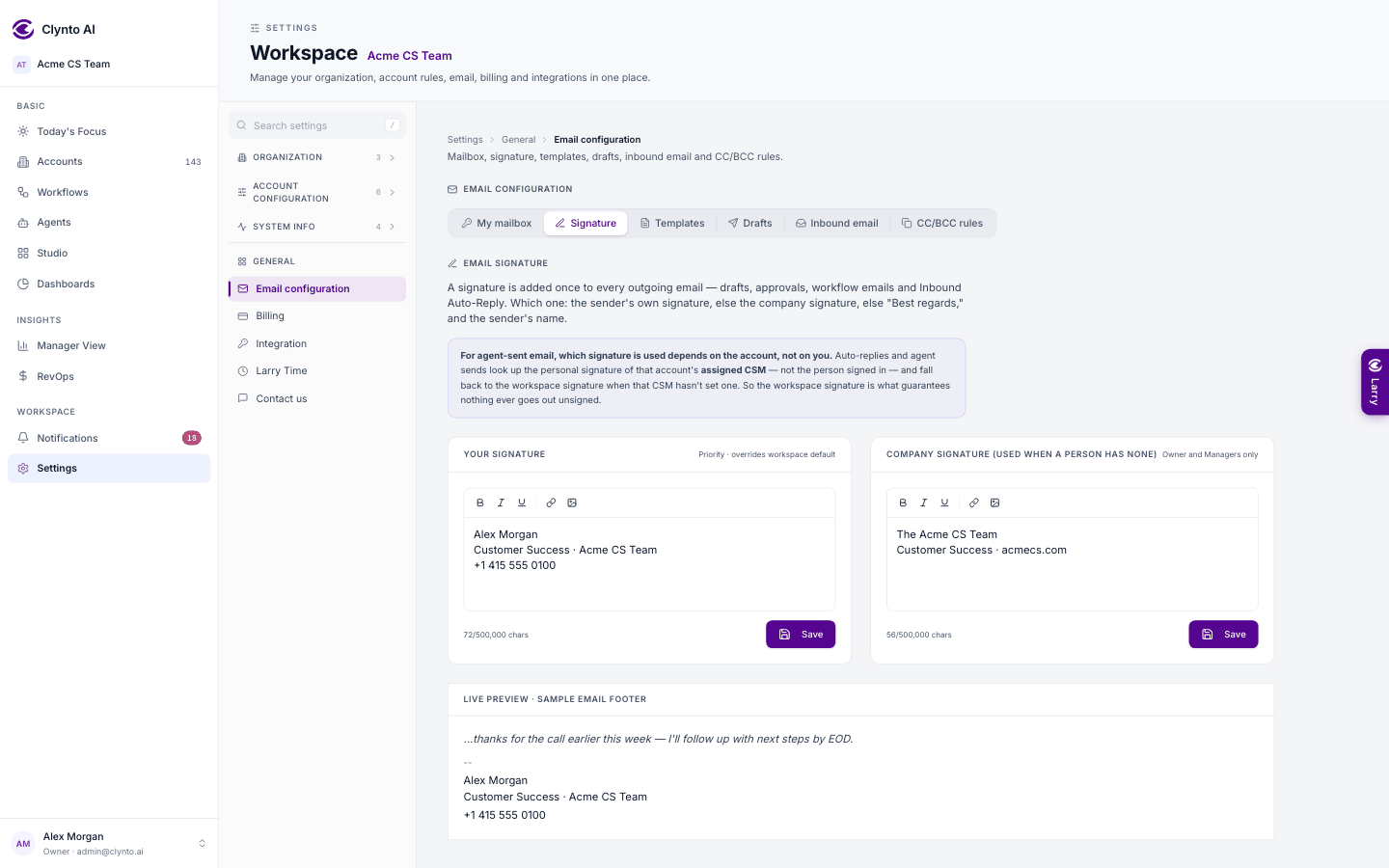
The sender is the owner of the mailbox it goes out from — the account's CSM — not whoever is signed in. An automated email with no person behind it uses the account owner's name, then the company name. An email that already ends with a signature or a sign-off is left alone. Every draft editor shows a read-only preview of the signature that will be added, with a link to edit it.
The editor supports bold, italic, underline, links and inline images. Images are embedded in the signature itself (up to 200 KB each) rather than hosted anywhere else. Three or four lines plus a logo works best for deliverability.