
Business Reports
Last updated on
Studio → Business Reports writes a Business Report — Monthly, — Quarterly or — Custom period for up to 20 accounts at once. Pick a calendar month or quarter (or a date range); it is compared with the period before it — September with August, Q3 with Q2. A month or quarter that is still running is compared like for like: the same number of days into the previous period.
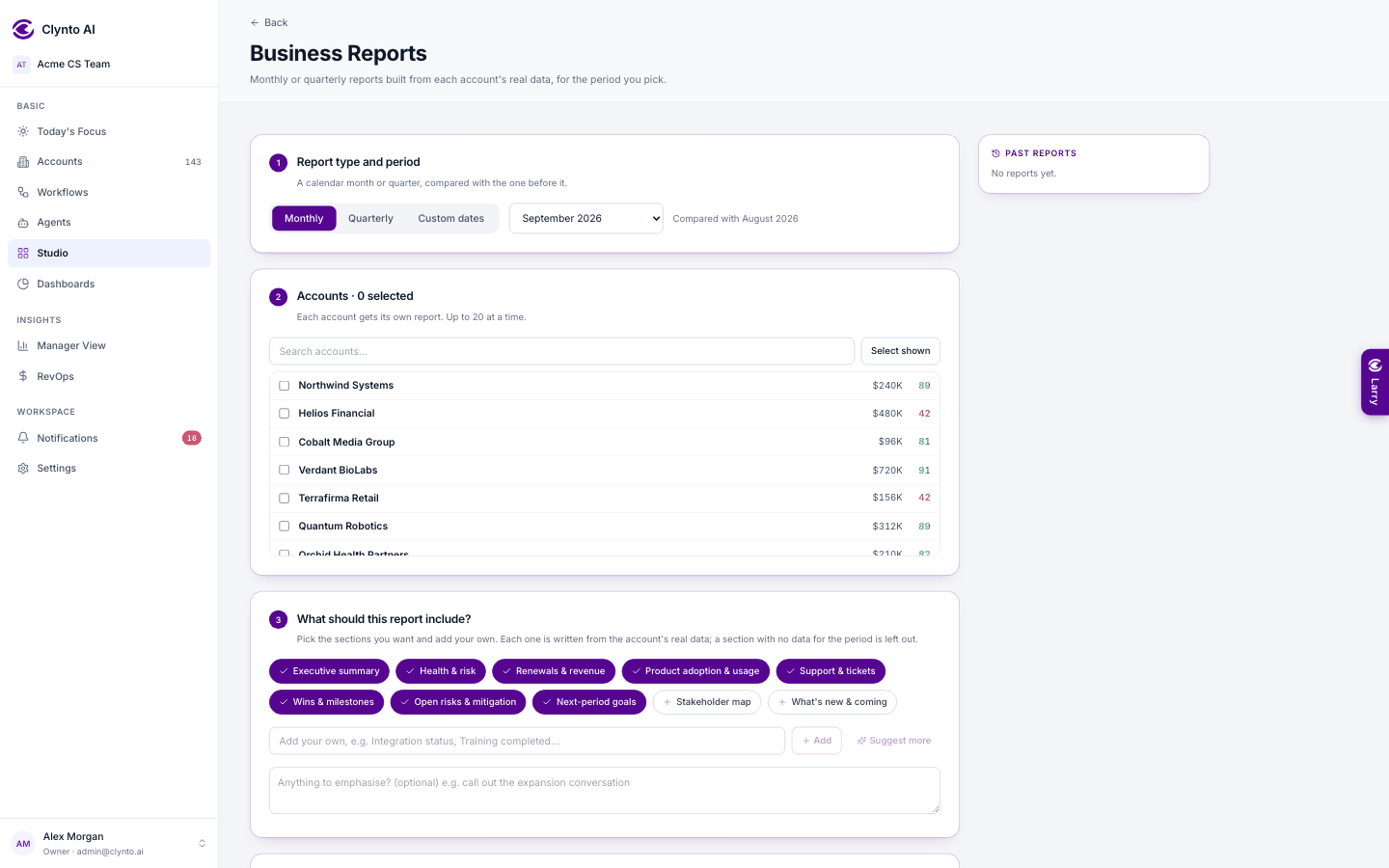
Under What should this report include? pick the sections you want — Executive summary, Health & risk, Renewals & revenue, Product adoption & usage, Support & tickets, Wins & milestones, Open risks & mitigation, Next-period goals, Stakeholder map, What's new & coming — and add your own. Every number comes from the account's real data; a section with no data for the period is left out rather than padded.
What's new & coming takes one item per line under Shipped and Coming next, with links, and shows them as two columns in the report exactly as you typed them.
The report is built in the background, so you can keep working. If the AI part fails, every number is still there and the text falls back to plain factual sentences. On the result page, Edit, Download PDF, Send as email and Past reports sit in the panel on the right; Back returns to wherever you came from. Studio also has Proposals, NDAs, Contracts, Reports and Analyse files (see below); Presentations are coming soon.
Email campaigns
Studio → Campaigns sends one email to many contacts — a renewal reminder, a product announcement, an onboarding nudge — while every recipient still gets their own…
Proposals, NDAs and Contracts: designs and reference files
On a proposal, NDA or contract, step 3 Preview shows the Document or the PDF (the PDF opens right inside Clynto).