
Email campaigns
Last updated on
Studio → Campaigns sends one email to many contacts — a renewal reminder, a product announcement, an onboarding nudge — while every recipient still gets their own individual message. Nothing ever goes out with more than one address in To:.
The workspace
The left side lists All campaigns, Drafts, Scheduled, Sending, Completed and Failed, each with a count, plus Analytics across campaigns. Failed gathers every recipient that failed, with the reason, and campaigns that couldn't start; tick rows and Retry them in one go.
Building a campaign
Type a name and pick the type — the draft is created and saved automatically from then on ("Draft saved"). Then three steps:
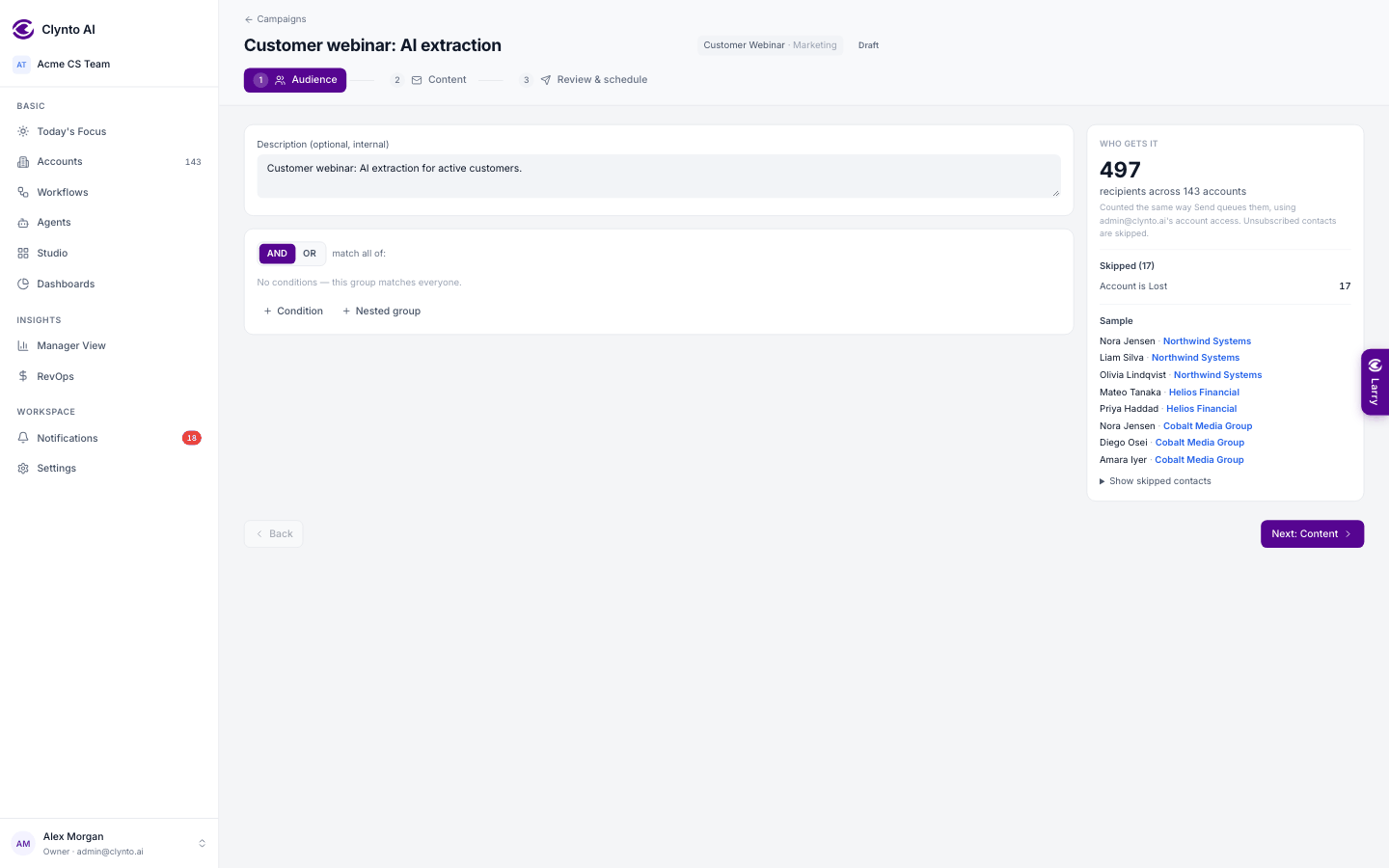
- Audience — filter accounts and contacts (profile, health, ARR, renewal date, custom fields…) and preview exactly who is included. The count uses the same visibility rule the send uses, so what you see is what gets queued.
- Content — write it or start from a template. Merge tags such as {{first_name}} and {{account_name}} are checked as you type; Preview as renders the email with a real contact's data. Suggest subject lines (AI) writes five alternatives in the background while you keep editing.
- Review & schedule — a checklist (mailbox connected, subject, merge tags valid, unsubscribe link for marketing, merge data present, recipients). A failed check blocks sending. Then Send now, Schedule (date, time and time zone) or Keep as draft.
While it runs
A background sender works through the queue in small batches and retries temporary failures. You can Pause, Resume or Cancel, move a scheduled campaign back to draft, and Retry failed sends once the cause is fixed.
Results
Sent, opened, clicked, failed, skipped (with reasons) and unsubscribes. Delivered, bounced and replied show "Not tracked" — Clynto doesn't receive those from the mailbox yet, so it never shows them as 0. Opens are directional (image proxies); clicks are reliable. An unsubscribe is credited to the latest campaign the person received, so it's never counted twice.
Note
Recipients on Lost accounts, or on accounts whose status isn't mapped yet, are skipped — checked again at send time, not only when the campaign was queued. Marketing campaigns honour unsubscribes recorded even after queueing and carry a one-click unsubscribe link; service messages (renewals, invoices, onboarding, support) are not blocked by a marketing unsubscribe. Duplicate gives the copy its own email, so editing it never changes the original.