
RevOps
Last updated on
RevOps has two views, for anyone with revops.view. Changing data needs revops.edit.
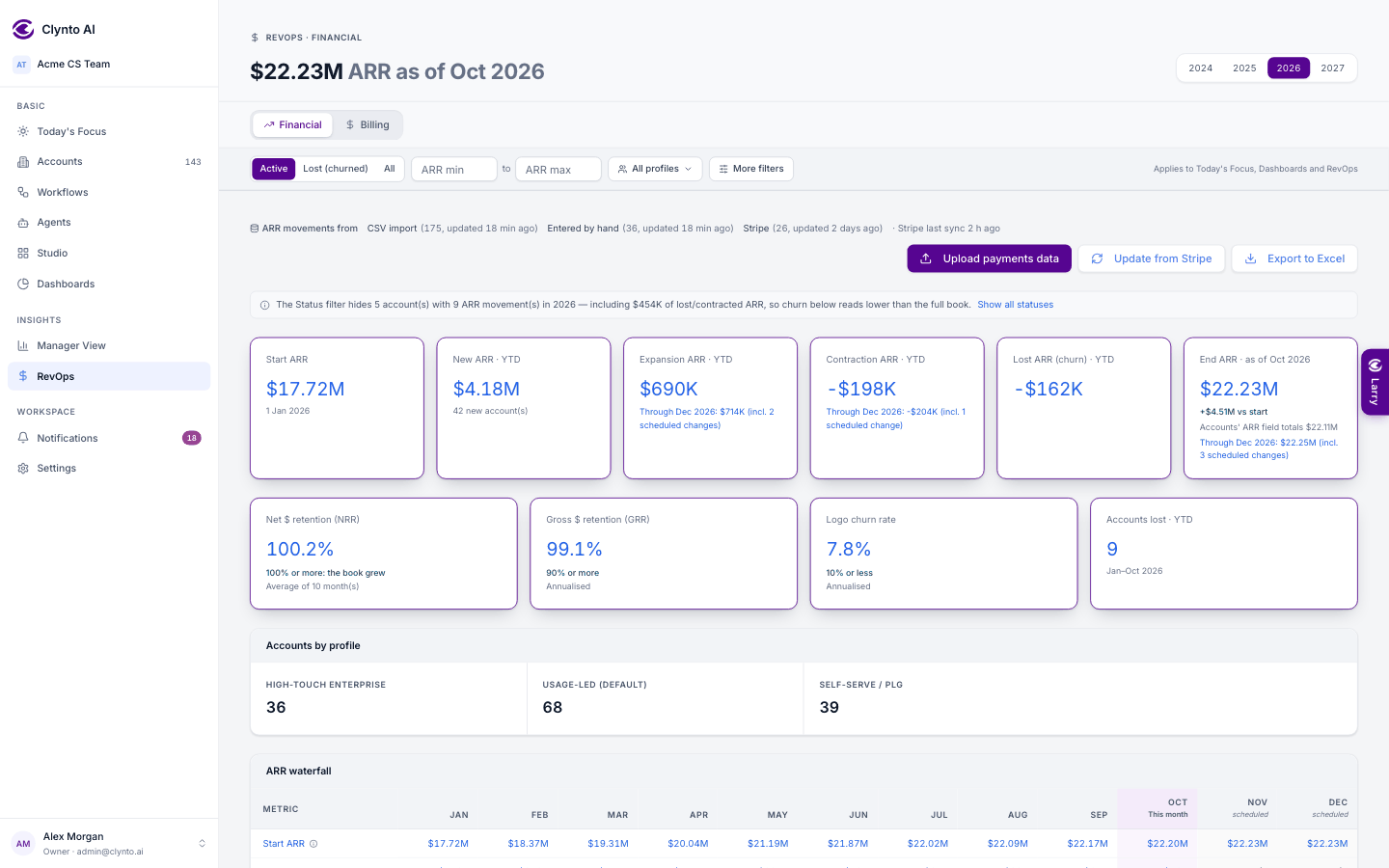
Financial — a month-by-month table from your oldest customer onward, covering Active and Lost accounts: Start ARR (= last month's End ARR), New ARR (accounts whose contract starts that month), Expansion and Contraction (ARR increases and decreases that month), Lost ARR (accounts whose churn takes effect that month, at their pre-churn ARR — an unrenewed annual contract in the month its term ends), End ARR, Start / New / Lost / End counts, Gross Customer Churn and Retention %, Gross $ Churn %, Gross $ Retention % and Net $ Retention %. Pick the Year at the top; Rerun recalculates everything; Upload payments data brings in history. Every metric and cell has an ⓘ with the formula, the numbers and the accounts behind it. Records that can't be placed without guessing (no start date, no churn date…) are listed under Needs review and left out until fixed.
Billing — works before you have any invoices. Recurring revenue (MRR, ARR, customers, ARR by profile) and ARR movements (new, expansion, contraction, churn over 12 months) come from your accounts' ARR and the ARR movements ledger, and each block says its source: From account ARR, From subscriptions, or both. Numbers that truly need invoices — billed, collected, outstanding, failed payments, days sales outstanding, dunning — show an explained empty state with Upload billing data and Connect Stripe instead of $0.
Projections · next 6 months (dashed = projected): each account's MRR from its subscription, or its ARR ÷ 12, carried forward; an account whose renewal falls in a month while at risk (low health, past due or set to cancel) is taken out from that month on. Expected billing is the cash side (billing dates, or ARR ÷ billing frequency). Every number on Billing — including the four month cards — opens the accounts behind it in a paged popup with links.
Upload billing data (Excel/CSV) — for billing that isn't in Stripe. Download the template (Excel or CSV) or use your own columns: Customer, Invoice #, Invoice date, Due date, Amount, Currency, Status, Paid date, and optionally Plan, Billing period, Subscription start / end and MRR or ARR (which also records each account's subscription). Upload it, say what it is, and Clynto's AI proposes the mapping in the background. Each column shows sample values and a dropdown to change what it means; Save mapping, check the matched accounts (by account id, then domain, then name), conflicts and unmatched rows, then Import. Billing shows the numbers straight away. Re-uploading the same file adds nothing, and Undo removes exactly that upload. Integration data always wins: an uploaded row never overwrites what Stripe recorded.