
Manager View
Last updated on
/manager-view is the team picture, for anyone with the team.view_performance permission (admins and managers by default). It reflects the book as it is right now; the date range applies to activity figures such as hours saved.
What's on it
- Headline numbers — team members, accounts, total ARR, Healthy / Watch / At risk, open signals, open cases, customer touches in the last 30 days, average auto-reply time, and hours saved (all time and in the selected range). A Status filter scopes the account numbers; the date range scopes hours saved.
- Executive summary written by the AI, with regenerate.
- Revenue & renewals, Risk centre and Escalation centre.
- Workload balance and Coaching opportunities across CSMs. Workload balance compares each person's number of accounts with the team average (100% = the average), so you can see who is overloaded and who has room.
- Approvals waiting and Team activity.
- Hours saved by agent for the selected range.
- Team roster — per CSM: accounts, ARR, average health, open signals, tasks, approvals, renewals in 30 days and hours saved.
Every number drills down
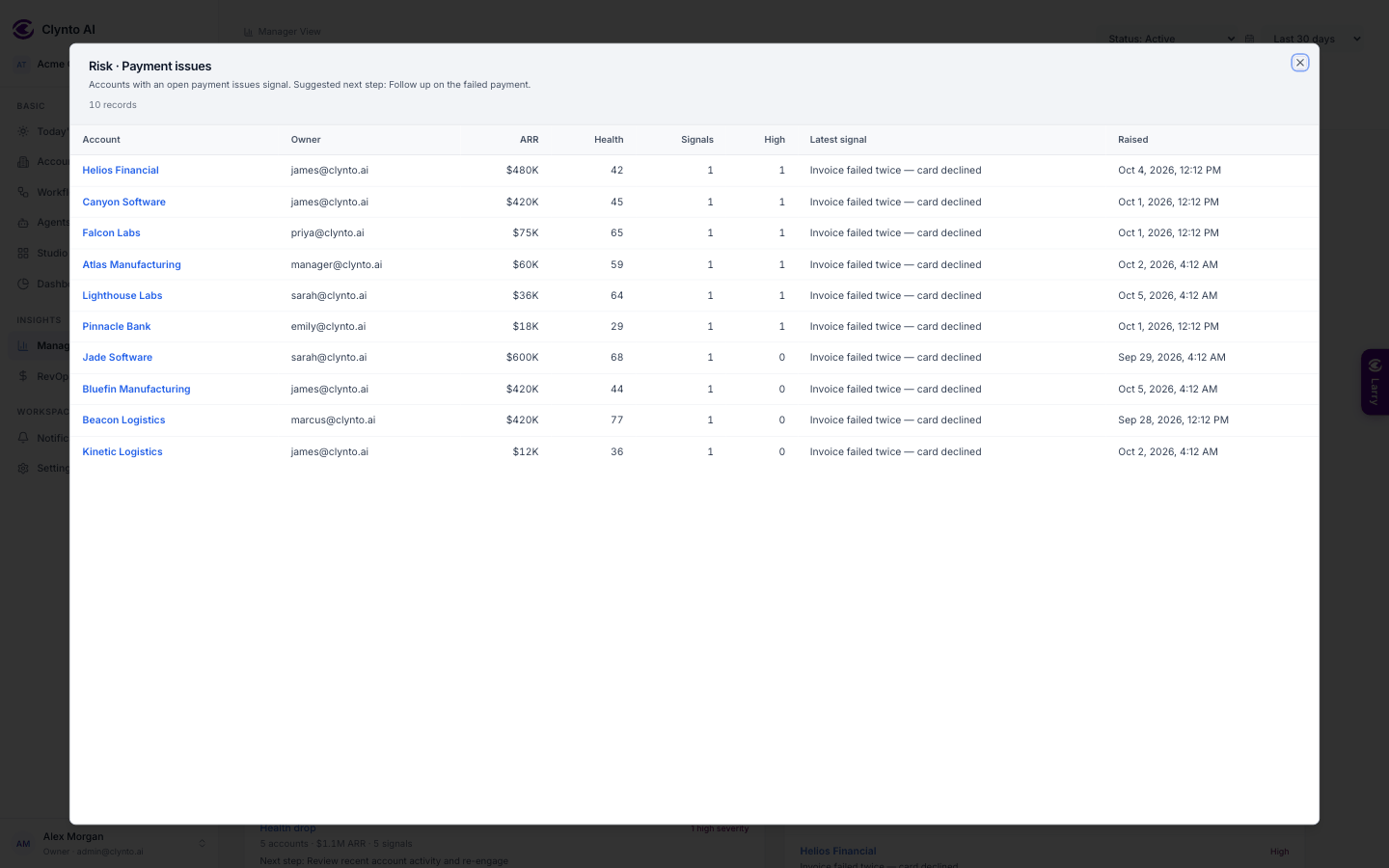
Click any figure to open a popup listing exactly what makes it up — the accounts behind "At-risk accounts", the tickets behind "Open cases", the emails and meetings behind "Customer touches", every agent action behind "Hours saved". Popups keep the page's filters, are paginated, and link straight to each account.