
Active and Lost
Last updated on
An account's status is exactly Active or Lost. Lost means the customer churned.
What marking an account Lost does
However it happens — the status picker, bulk edit, a CSV import, a synced status, Larry or the end-of-month churn sweep — the same things happen together, straight away:
- The account is tagged Churned everywhere and its journey stage shows Churned.
- Health is set to 0 and stops recomputing.
- Open signals are dismissed with the reason "Account marked Lost".
- Pending approvals are dismissed, queued campaign sends are skipped, and open Larry Time questions are closed.
- A status change is written to the account's History.
Bringing it back
There is no waiting period. Set the account back to Active at any time — on the account, in bulk, by CSV, or when a sync reports it active again. The Churned tag clears, and health, journey and signals recompute on the next scheduled pass. Signals dismissed only because the account was Lost can be raised again.
Status values from your tools
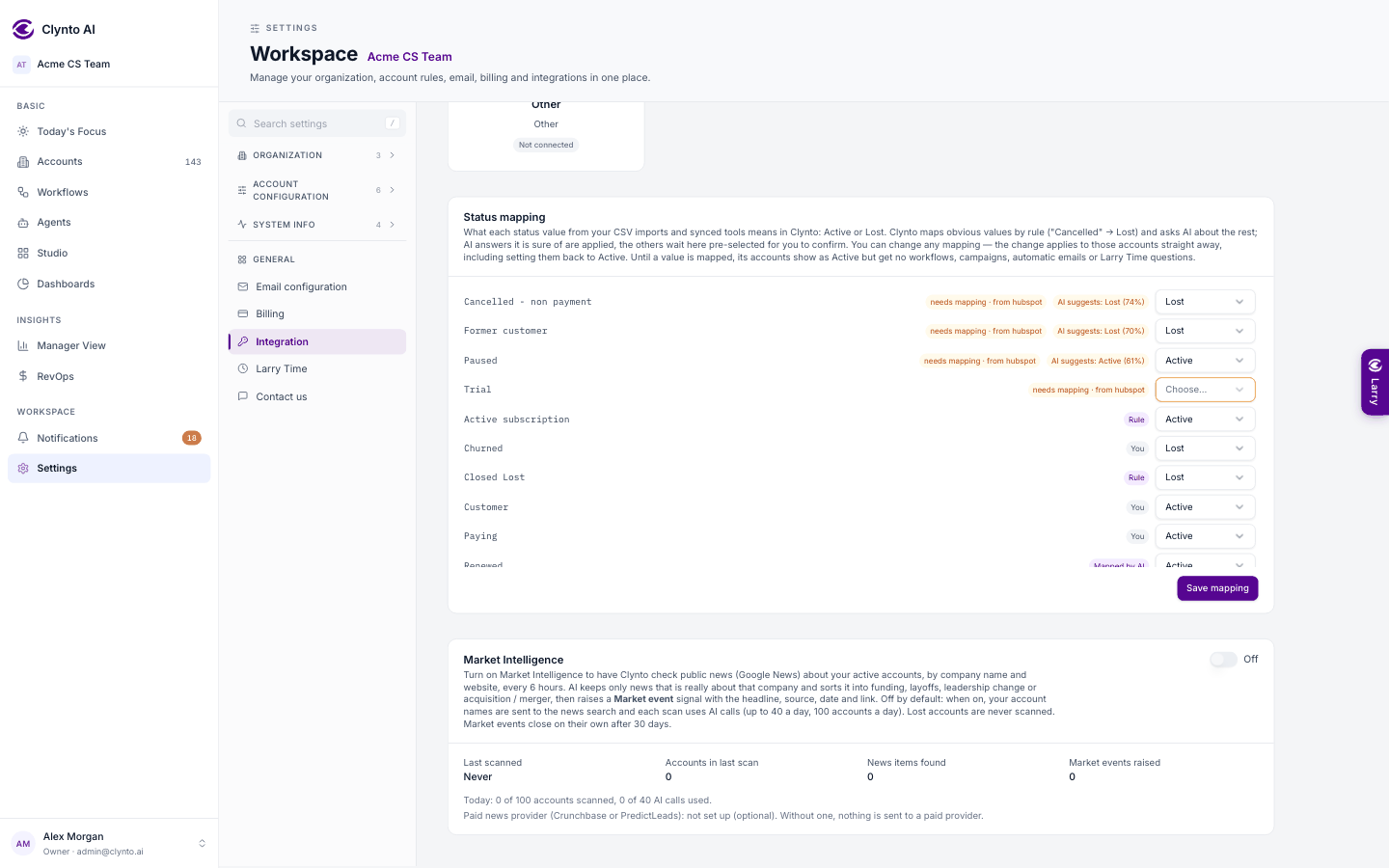
Your CRM or spreadsheet may say "Customer", "Paying", "Cancelled" or "Closed – churned". Only the words "active" and "lost" are understood directly. Anything else is auto-mapped in the background:
- Obvious words are mapped by rule straight away (for example "Cancelled" → Lost).
- The rest go to the AI in one call per workspace. A confident answer is applied; an unsure one is saved as a suggestion.
- You review or change any mapping in Settings → Integrations → Status mapping. A change is applied to the accounts it affects, including reactivating them.
Note
Until an account's value is mapped it shows as Active, but outbound automation (emails, campaigns) skips it, so nothing goes out to a customer on a guess.