
Five tracks, not one pipeline
Last updated on
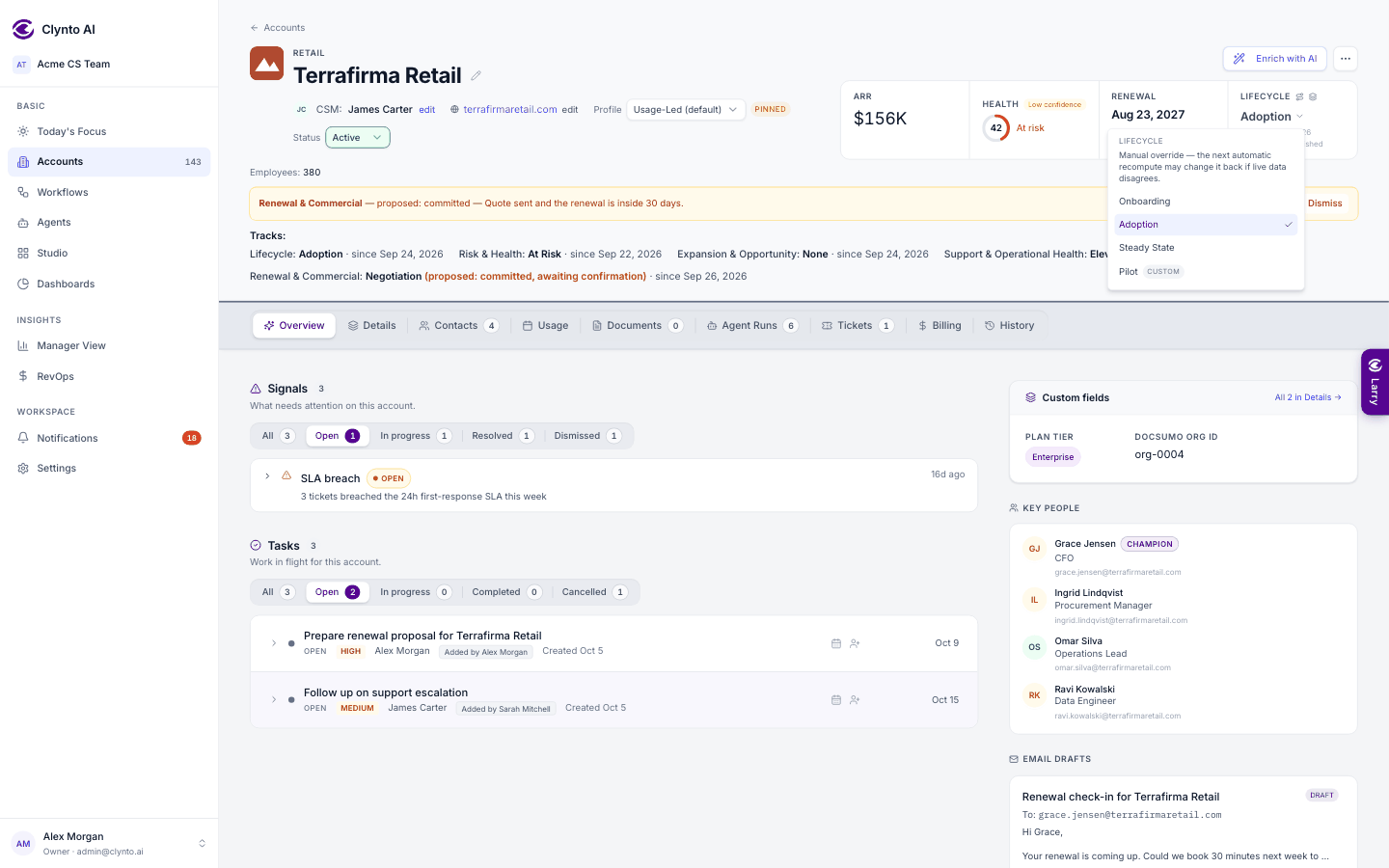
An account is never just "in onboarding". It can be onboarding, at risk, showing an expansion opportunity and approaching renewal all at once. So Clynto keeps five separate tracks:
| Track | States |
|---|---|
| Lifecycle | Onboarding → Adoption → Steady State |
| Risk & Health | Healthy, Watch, At Risk, Escalation, Recovery |
| Expansion & Opportunity | None, Identified, Qualified, Proposal, Closed Won, Closed Lost |
| Support & Operational Health | Stable, Elevated, SLA Breach |
| Renewal & Commercial | Not Yet Relevant, Approaching, Planning, Negotiation, Renewed |
Each state has written criteria and recommended actions. On the account page the five tracks show as one Tracks line under the account details: each track's state in bold with its since-date, plus any hold and any proposal awaiting confirmation (Confirm / Dismiss sit in the amber bar above it). Recompute tracks is in the health pop-up. Also on the account page, the Lifecycle number in the header is the stage picker; the route icon beside it (View all 5 tracks) shows every track's current state, why, and what to do next.
Tip
The Renewal & Commercial state is what the Renewals dashboard calls "Commercial status". Admins can tune when states change under Settings → Account rules → Stage customization.