
How the health score is calculated
Last updated on
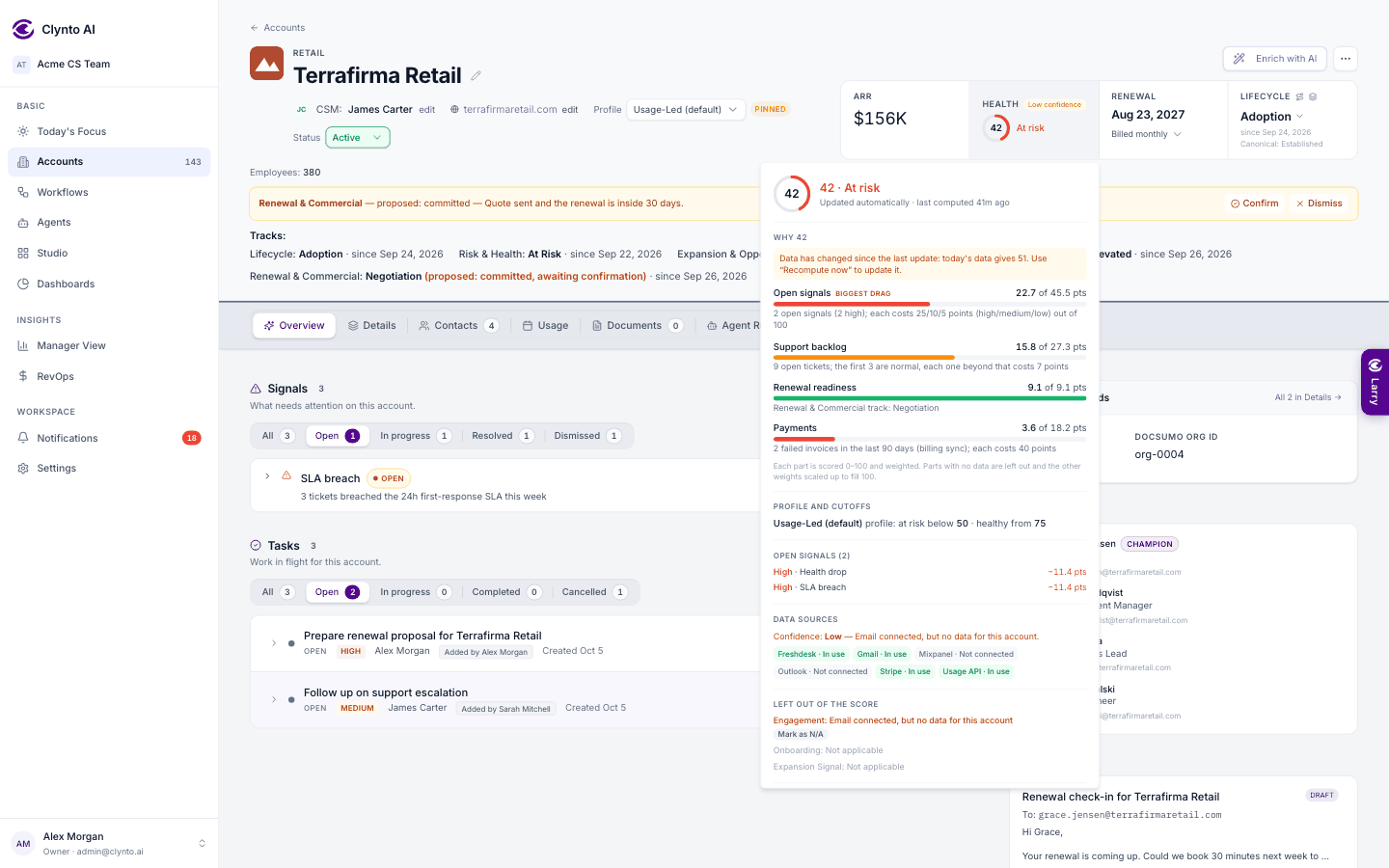
The health score runs from 0 to 100. It is a weighted blend of components, each scored 0–100 from real data.
| Component | Default weight | Scored from |
|---|---|---|
| Product usage | 30 | The account's credits pace (used so far this period against what it should have used by today, capped at 100), or Mixpanel adoption % for Mixpanel-only accounts. |
| Open signals | 25 | 100 minus points per open signal: high 25, medium 10, low 5. |
| Support | 15 | Open ticket backlog: the first 3 tickets are free (new High-Touch accounts get 6, new Self-Serve 2), then each costs 7 points. |
| Payments | 10 | Failed Stripe invoices in the last 90 days: each costs 40 points. |
| Engagement | 10 | Days since the last real contact on any channel: full marks up to 14 days, zero at 90. |
| Onboarding | 10 | Milestone completion, only while the account is still onboarding. |
| Renewal readiness | 5 | Not used yet. |
| Expansion signal | 5 | A bonus only (below). |
Profiles can override these weights. Every workspace uses this formula.
Good news only adds
An open Expansion intent signal adds a bonus of at most 5 points (high or medium counts fully, low 80%) and never lowers the score — for example, 70 becomes 71 or 72. Funding news is neutral: shown, but it doesn't change health.
What isn't counted
The health drop and renewal risk signals that agents raise from the score itself are shown but not counted, so the score can't drag itself down in a loop. Positive signals never cost points — including Early credit exhaustion and Credits over allowance, which mean the customer needs more.
Missing data never looks like a sick customer
A component with no data — no usage source connected, say — is left out and the remaining weights are scaled up to fill 100%. Product usage is also left out, with the reason shown, when an account has no allowance set, no subscription start date, a subscription that hasn't started yet, or an Unlimited allowance — there is no pace to judge. If a source is connected but broken, the breakdown says so and the score is marked as low confidence. Open the health ring on any account to see each component's score, weight and contribution.
Payments come from Stripe invoices
The Payments component counts invoices that failed: still open after a charge attempt, or written off as uncollectible. An invoice that failed and was later paid no longer counts. The Billing tab on the account shows the same invoices.
Cutoffs depend on the profile
Healthy, Watch and At Risk cutoffs come from the account's profile. For Usage-Led: 75 and above is Healthy, 50–74 Watch, below 50 At Risk.
Tip
The Owner or a Manager can pin a score from the health ring on the account page. The automatic recompute then leaves that account alone until it's unpinned. The Health Analyst agent reads the score and its signals to write a verdict and next step; it never changes the number.